
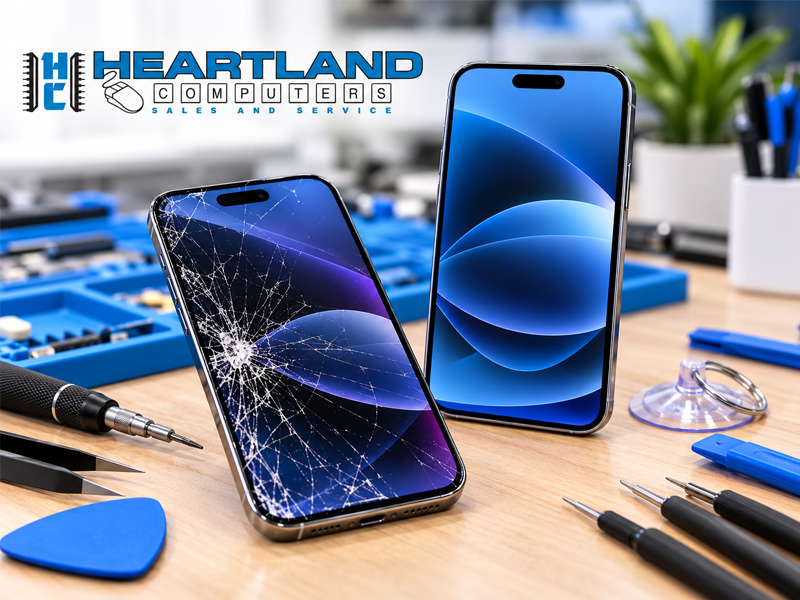

A cracked iPhone screen is frustrating, especially when you depend on your phone for work, school, family, payments, directions, and daily communication. The good news is that most screen damage is manageable when you take the right steps.
If your iPhone screen cracks, protect the phone, back up your data, and avoid making the damage worse. Then decide whether a simple temporary measure is enough or whether it is time for professional iPhone repair.
At Heartland Computer, we provide friendly, practical iPhone repair in Omaha and Council Bluffs. We offer free diagnostics, clear repair recommendations, and same-day service on many repairs. We’ll help you understand your options without unnecessary upselling.
What to Do Immediately After Your iPhone Screen Cracks
Start with safety and data protection.
1. Check for loose or sharp glass
Do not run your fingers across a badly damaged screen. Small glass pieces can cause cuts. If the glass is lifting or breaking apart, carefully place a clear screen protector or a piece of clear tape over the surface to help hold the pieces in place temporarily.
Avoid putting pressure on the cracked area. Pressing, swiping, or typing heavily can make the damage worse and may affect the display, touch layer, or internal connectors.
2. Back up your iPhone as soon as possible
If the phone still works, back it up before the screen stops responding.
You can use:
- iCloud backup through your iPhone settings
- Finder on a Mac
- iTunes on a Windows computer or older Mac
- A professional mobile device data backup and recovery service
A backup protects your photos, contacts, messages, documents, and other important information if the phone fails during continued use or repair.
If the screen is flickering, partially black, or difficult to use, do not keep forcing it. Bring the phone in and tell us what happened. We can review the device and discuss available data protection options.

3. Do not charge the phone if there is moisture
If the phone was dropped in water, exposed to rain, or has moisture around the screen, charging port, or inside the case, do not plug it in.
Power it off if you can, remove the case, and keep it away from additional moisture. Charging a wet device can cause a short circuit or additional internal damage.
Even if the phone appears to work normally, liquid damage can continue developing inside the device. Contact a professional before attempting to charge it again.
4. Watch for signs of internal damage
Stop using the iPhone and seek professional help if you notice:
- Unusual heat
- A swollen battery or screen lifting from the frame
- A burning smell
- Smoke
- Black spots or spreading lines beneath the glass
- Touch input that works by itself
- Liquid visible under the display
- A bent frame
A cracked front glass is one problem. A damaged battery, display assembly, or logic board may require a more careful evaluation.
Common iPhone Problems We See in Omaha and Council Bluffs
A broken screen is only one reason customers visit us for iPhone repair.
Cracked screen and digitizer damage
The display assembly includes more than the outer glass. The digitizer is the touch-sensitive layer beneath it. A phone may have visible cracks but still respond normally, or it may have touch issues, dead areas, ghost touches, flickering, or a completely black display.
A proper diagnostic helps determine whether the issue is limited to the screen assembly or whether the phone has additional damage.
Battery wear and sudden shutdowns
Older batteries may drain quickly, shut down unexpectedly, heat up, or fail to hold a charge. A weak battery can make an otherwise usable iPhone feel unreliable.
We can evaluate battery behavior and explain whether replacing the battery makes sense for your device and daily needs.
Water and liquid damage
Water resistance is not a guarantee against every spill or drop. Cracks, worn seals, and charging-port openings can allow moisture inside.
If liquid is involved, do not charge the phone and do not rely on household fixes such as rice. Bring it in for an inspection as soon as possible.
Charging port and cable problems
Sometimes the problem is the cable. Sometimes it is lint, dirt, a damaged port, or an internal charging fault.
Avoid repeatedly forcing a cable into the port. A professional can inspect the port and determine whether cleaning, part replacement, or additional repair is needed.
Camera lens and rear glass damage
A damaged camera lens can affect image quality and expose the camera to dust or moisture. Cracked rear glass can also create sharp edges and allow additional damage if the phone is dropped again.
A case may help temporarily, but it is not a permanent repair.
Speaker and microphone faults
If calls sound muffled, people cannot hear you, or media playback is unusually quiet, the issue may involve the speaker, microphone, blockage, liquid exposure, or another internal component.
We test the phone rather than guessing at the cause.
Data loss after a failed repair elsewhere
We also see phones that have been opened or repaired elsewhere and later develop display issues, missing data, battery warnings, touch problems, or failed components.
If a repair did not go as expected, bring the phone in. We can assess its current condition and explain what can realistically be done next.
What an iPhone Repair Visit Looks Like at Heartland Computer
Our process is designed to be simple and clear.
-
We review the problem.
Tell us what happened, what still works, and what you need the phone to do. -
We perform a free diagnostic.
We inspect the display, touch response, battery, charging port, cameras, speakers, microphones, and other relevant functions. -
We provide a clear quote before work begins.
You will know what we recommend before you approve a repair. We do not begin additional work without your approval. -
We complete the repair carefully.
Same-day service is available for many repairs, depending on the model, parts availability, damage, and workload. -
We test the phone again.
We verify the repair and review the result with you.
You can also use our real-time repair tracking through the Heartland Computer app for iOS and Android. Loaner options may be available for qualifying repairs and customers, subject to restrictions.

Is It Worth Repairing Your iPhone or Replacing It?
There is no single answer for every model or customer. A free diagnostic gives you the information you need to decide.
Repair is often worth considering when:
- The phone otherwise works reliably
- The damage is limited to the screen, battery, port, or another single component
- You want to avoid the cost and setup time of a replacement
- Your phone contains important data or apps
- The device still meets your work, school, or communication needs
Replacement may make more sense when:
- The phone has several major problems
- The frame or internal board is severely damaged
- The repair cost is high compared with the phone’s age and condition
- The device no longer receives the updates or features you need
- You were already planning to upgrade
We will explain both possibilities. Our goal is not to sell you a repair that does not make sense. It is to help you choose a practical option for your phone, budget, and situation.
Why Very Cheap Screen Repairs Can Cause New Problems
Not every replacement screen or part provides the same results. Low-cost, unverified parts can sometimes lead to:
- Poor touch sensitivity
- Delayed or inaccurate touch response
- Uneven brightness or color
- Display flickering
- Battery or display warnings
- Reduced fit or durability
- Problems with features such as True Tone or battery health reporting
An iPhone may continue working after a third-party repair, but the quality of the part and installation matter. If your phone displays an “unknown part” or similar message after a repair, it does not automatically mean the phone is unusable. It does mean you should understand what part was installed and what limitations may apply.
For general information about Apple’s repair options, review Apple’s iPhone screen replacement information. If you prefer local service and a clear conversation about your choices, contact our technicians first.
How to Protect Your iPhone After Repair
A few simple habits can reduce the chance of another repair.
- Use a durable case with raised edges.
- Add a quality screen protector.
- Keep the phone away from pockets with keys or other sharp items.
- Avoid pulling charging cables sideways.
- Keep the charging port free of dust and lint.
- Do not use damaged or frayed charging cables.
- Keep the phone away from water, extreme heat, and excessive pressure.
- Back up regularly through iCloud or a computer.
- Do not ignore battery swelling, unusual heat, or sudden shutdowns.

Local iPhone Repair Without Guesswork
Heartland Computer has more than 20 years of local experience and has repaired more than 50,000 devices. Our team includes certified technicians, and we maintain a 98% client satisfaction rate and an A+ Better Business Bureau rating.
We serve customers throughout the Omaha and Council Bluffs metropolitan area from multiple storefront locations. We also provide tablet repair, computer and laptop repair, data backup and recovery, and other technology services under one roof.
Bring your cracked iPhone to Heartland Computer for a free diagnostic. We will inspect it, explain what is wrong, and provide a clear recommendation before any work begins.
Call us at 402-502-7040, book an appointment, or contact our team online. We’ll help you decide what comes next, and we’ll make it work.




















Join the conversation
Questions about this article? Ask below — our team reads every comment.