
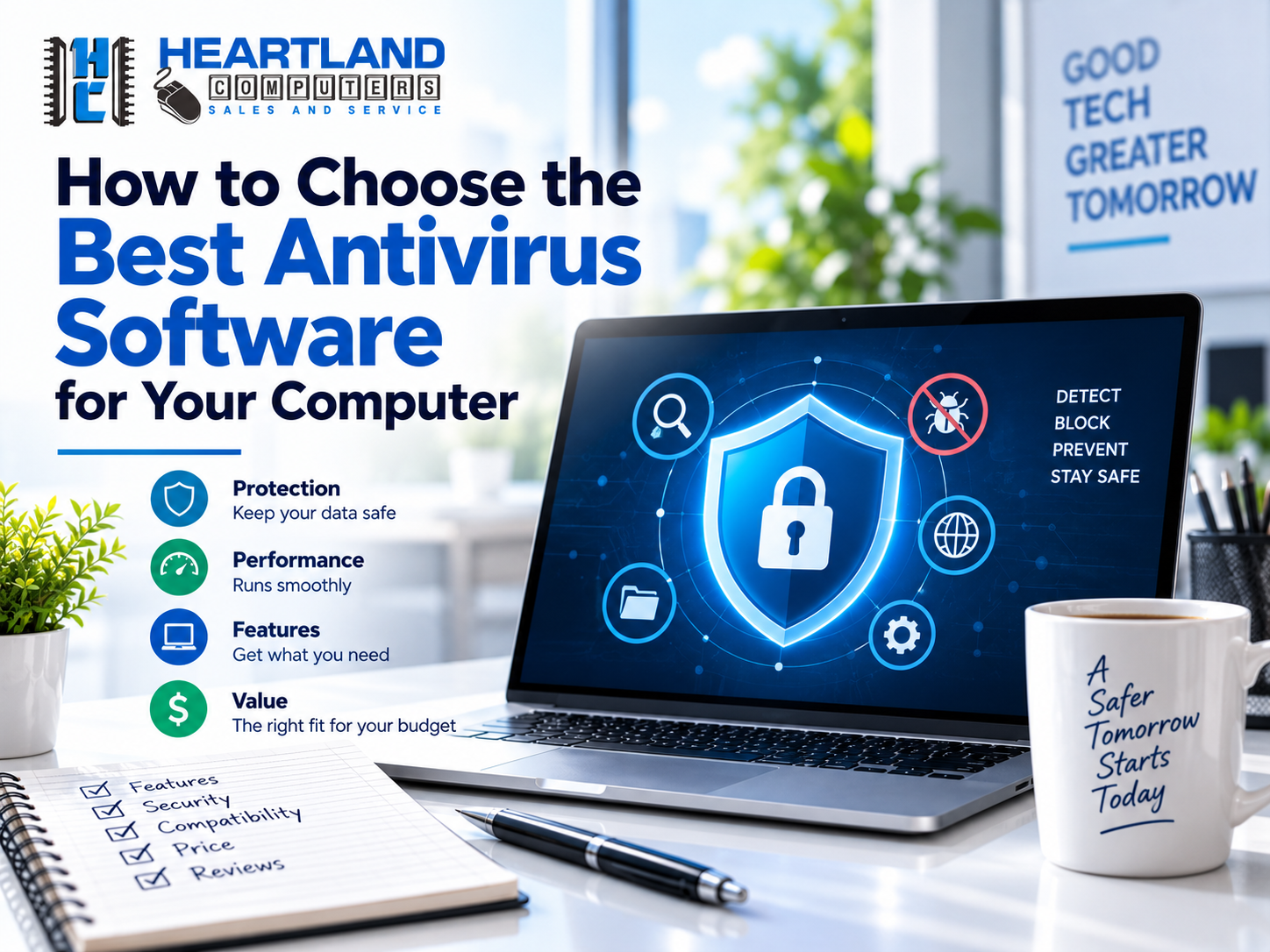
Choosing antivirus software feels more difficult than it should be. Every product claim total protection, extra features, and peace of mind, but only some of it is real, and the "optimal" answer is largely dependent on how you use your computer.
The good news is that you don't have to understand every technical detail to make an informed decision. You simply need to understand what counts, what marketing fluff is, and how your personal position, such as student, family, remote worker, gamer, or small business, influences the response.
Quick answer: For most home users with up-to-date systems and good practices, Microsoft Defender (including Windows) paired with strong passwords and backups is sufficient. Paid suites justify their cost when you require multi-device coverage, parental controls, identity monitoring, or centralized company protection. The sections below describe exactly how to determine which camp you are in.
At Heartland Computer, we've spent more than 20 years helping home users, families, students, remote workers, gamers, and small businesses throughout Omaha and Council Bluffs choose practical computer security solutions without upselling. This guide reflects what we recommend on the bench, not what pays the highest affiliate commission.
The 4 Features That Actually Matter
Skip the marketing checklists. When you're comparing antivirus software, these four capabilities determine whether it protects you.
1. Real-Time Protection
Rather than waiting for you to do a manual scan, real-time protection continuously monitors files, downloads, apps, and ongoing processes. This is the most critical feature to confirm before purchasing anything.
Look for:
- Always-on malware monitoring
- Automatic scanning of files and downloads as they arrive
- Behavior-based threat detection (catches new threats, not just known ones)
- Protection against suspicious or unauthorized applications
- Clear, actionable alerts not vague pop-ups
If a product only offers scheduled scans, it isn't giving you everyday protection. That's a dealbreaker, not a minor limitation.
2. Malware and Ransomware Detection
One type of threat is viruses. Spyware, adware, keyloggers, remote-access tools, and invasive browser extensions are examples of modern malware.
Ransomware, which encrypts your company files, documents, and photos and then demands cash to unlock them, requires special attention. Strong security software should detect suspicious behavior and stop illegal modifications to important folders.
Important: antivirus software is not a substitute for backups. Pair any security tool with a dependable data backup and recovery solution so you have a second way to recover files if something slips through.
3. Phishing and Web Protection
Most security incidents start with a single fake delivery notice, a spoofed account warning, or a bogus invoice.
Good web protection blocks:
- Fake login pages
- Malicious downloads
- Known scam websites
- Dangerous browser redirects
- Suspicious links in email and messaging apps
No tool catches everything. Slow down before entering a password or payment detail check the sender, inspect the actual web address, and avoid opening unexpected attachments.
4. Automatic Updates
Threats evolve daily. Your antivirus software's detection engine needs to update automatically a security program that isn't current provides a false sense of safety.
Turn on automatic updates for all of these, not just your antivirus:
- Antivirus software itself
- Windows or macOS
- Web browsers
- Office and productivity apps
- Phones, tablets, and other connected devices
Performance & Compatibility Checklist
Security software runs constantly in the background it should protect your computer without making everyday work frustrating. Before installing anything, check:
|
What to Check |
Why It Matters |
|
OS compatibility |
Confirm support for your exact Windows/macOS version |
|
Device limits |
Matters if you're covering a family or office |
|
Startup speed impact |
Heavy programs slow boot time noticeably |
|
Memory/CPU usage |
Especially critical of older hardware |
|
Pop-up frequency |
Excessive alerts train users to ignore real warnings |
|
Business software compatibility |
Conflicts can break line-of-business apps |
|
Gaming compatibility |
Some suites throttle performance during play |
|
Built-in firewall behavior |
Can conflict with existing network settings |
A program that constantly slows your computer, floods you with confusing warnings, or conflicts with other software isn't doing its job regardless of its lab test scores.
Struggling with a slow or aging computer? A professional review can determine whether the real culprit is malware, unwanted software, failing hardware, or something else entirely. Our desktop repair and Windows support and laptop repair teams diagnose this daily.
Is Built-In Windows/Mac Protection Enough?
For most Windows users, Microsoft Defender is a genuinely strong starting point. It's built in, free, and includes real-time protection, automatic updates, web security, and ransomware-related controls.
Built-in protection is likely enough if you:
- Keep your computer on regular updates
- Download software only from trusted sources
- Use strong, unique passwords
- Recognize common phishing attempts
- Maintain reliable backups
- Don't need extras like identity monitoring or parental controls
Mac computers include solid built-in security too, but no operating system makes a device immune to malware or scams. Safe browsing habits and consistent updates still matter more than which logo is on the box.
Not sure if your built-in protection is even turned on correctly? That's a five-minute check for us ask for a free consultation and we'll show you exactly what's active on your machine.
Free vs. Paid Antivirus: Which Fits You?
Free Antivirus Software
Reputable free tools can offer real-time scanning, malware detection, and basic web protection. For many home users, a well-reviewed free option (or built-in protection) is genuinely all that's needed.
Free tools make sense for:
- Students on a limited budget
- Light home computer use
- A single, regularly updated computer
- Users who don't need extra security features
⚠️ Read installation screens carefully. Some free programs bundle ads, optional browser extensions, or repeated upgrade prompts. Skip any extra tool you don't recognize or need.
Paid Security Suites
Paid plans typically add:
- Coverage for multiple devices
- Advanced ransomware controls
- Parental controls
- Password managers
- VPN services
- Identity or dark-web monitoring
- Cloud backup
- Priority customer support
A paid suite earns its cost for a family with several devices, a remote worker handling sensitive data, or a small business wanting centralized protection.
Don't pay for features you'll never use. A clean, well-configured free or basic tool beats an expensive suite that just creates confusion.
For independent, continuously updated comparisons, check PCMag's antivirus guide and Tom's Guide's antivirus coverage. Test results often verify current rankings before purchasing.
Why You Should Never Run Two Antivirus Programs
One of the most common mistakes we see on the bench: two full antivirus programs installed and fighting each other.
Running two real-time antivirus engines can:
- Slow your computer significantly
- Trigger conflicting security alerts
- Block each other's files
- Cause application crashes
- Make it unclear which program is protecting you
Pick one primary real-time antivirus solution. Some specialized on-demand scanners are designed to run alongside built-in protection, but compatibility depends entirely on the specific products and settings involved. Confirm before adding anything else.
Already have multiple security programs fighting for control? We'll review your setup and simplify it schedule a consultation.
Antivirus Is One Layer: Here's the Full Stack
Antivirus software helps, but it can't replace everyday protection habits. A genuinely secure setup layers several defenses:
- Automatic OS and application updates
- Strong, unique passwords
- Multi-factor authentication wherever it's offered
- A password manager, if it helps you use unique passwords
- Regular, tested backups (a backup you've never restored from isn't proven)
- Separate accounts for different users
- Screen locks on laptops and mobile devices
- Caution with email links and attachments
- A secure home Wi-Fi password
- Limited administrator access where practical
Families should talk openly about suspicious messages without blaming the goal is a household that reports scams quickly, not one that hides mistakes. Students and remote workers should be especially cautious on shared networks with school accounts, work files, and cloud storage.
Recommendations by User Type: Omaha & Council Bluffs
Your best choice depends on how and where you actually use your computer.
🏠 Home Users: Built-in protection is often enough if your system stays updated and your browsing habits are careful.
👨👩👧 Families: Prioritize multi-device coverage, web protection, and parental controls if they fit your household's needs.
🎓 Students: Focus on reliable free protection, automatic updates, and safe handling of school accounts and files.
💻 Remote Workers: Prioritize phishing protection, strong account security, dependable backups, and compatibility with your work applications.
🏢 Small Businesses: Review every computer, user account, network device, backup process, and update schedule as a system not device by device. Most small businesses benefit more from computer networking support and ongoing managed IT assistance than from piecing together security one machine at a time.
Warning Signs You Need Professional Virus Removal
If your computer is already showing symptoms, installing another antivirus program usually won't fix it. Contact us if you notice:
- Unusual pop-ups or browser redirects
- New toolbars or extensions you didn't install
- Performance that suddenly dropped
- Locked or missing files
- Unknown programs launching at startups
- Security tools that mysteriously got disabled
- Suspicious account activity
- Repeated fake virus warnings
Heartland Computer provides professional virus and malware removal in Omaha, Council Bluffs, and surrounding areas. We inspect the computer, remove unwanted software, check security settings, and explain exactly what happened in plain language, not jargon.
We offer in-shop and on-site service, remote assistance when appropriate, free consultations and diagnostics, and recommendations based on your actual equipment and budget. With 20+ years of local experience, 50,000+ devices repaired, and a 98% client satisfaction rate, we focus on dependable repairs and honest communication overselling.
FAQ: Antivirus Software Questions
Is Windows Defender good enough, or do I need to pay for antivirus?
Windows Defender offers strong built-in protection for most users who keep their system updated, browse cautiously, create secure passwords, and store backups. Extras like multi-device coverage, parental controls, VPNs, and identity monitoring rather than necessarily more robust core malware detection are the keyways that paid suites bring value.
What's the difference between antivirus and anti-malware software?
While "anti-malware" refers to a wider spectrum of threats like spyware, adware, and ransomware, "antivirus" traditionally refers to the detection of recognized virus signatures. Regardless of designation, most of the contemporary security software uses behavior-based, real-time detection to cover both types.
Can I use two antivirus programs at once for extra protection?
No. Running two full-time antivirus engines usually results in conflicts, slows down your computer, and may even prevent each program from functioning properly. Use a single primary real-time solution; you can complement it with specialized on demand scanners, but make sure they are compatible first.
Does antivirus software protect against ransomware?
Although no program can provide total protection, good antivirus software can help by identifying suspicious activity and preventing unauthorized changes to crucial folders. The best defense against ransomware is a tested backup system.
How do I know if my computer already has a virus?
Common signs include unexpected pop-ups, unfamiliar toolbars, sudden slowdowns, locked or missing files, programs launching on their own, disabled security tools, and repeated fake virus warnings. If you notice these, a professional virus removal diagnostic is safer than trying to fix it yourself.
Is free antivirus software safe to use?
For students or light home use on a single, current computer, reputable free antivirus programs can be a good option. Avoid bundled toolbars and superfluous extensions by carefully reading installation screens.
What should a small business use instead of consumer antivirus?
Small businesses generally need protection across every device, user account, and network point, plus centralized management and backups. This is usually better handled through managed IT services rather than installing separate consumer antivirus on each machine.
Choose Protection That Actually Fits Your Situation
The finest antivirus software isn't always the priciest; rather, it's the one that offers trustworthy real-time protection, updates automatically, functions flawlessly on your hardware, and adapts to your device's usage.
Before you buy anything, answer these seven questions:
- What operating system and devices do you need to protect?
- Is your built-in protection enabled and updated?
- Do you need coverage for a family or small office?
- Are ransomware controls, parental tools, or identity monitoring important to you?
- Does the software noticeably affect performance?
- Are the privacy practices and subscription terms clear?
- Do you have a reliable, tested backup if something goes wrong?
You don't have to figure this out alone.
📞 Talk to a Local Expert Free
for a free remote computer consultation or diagnostic. We'll review your specific setup, explain your real options, and help you choose a practical security plan without unnecessary upselling.
Need help choosing, installing, or configuring antivirus software? Contact Heartland Computer for reliable Remote Computer Support, malware removal, and computer security assistance for your home or business.
Call today or book an appointment to keep your devices protected and running safely.
Need virus removal in Omaha or Council Bluffs today? Call us now ·
Visit Heartland Computer Council Bluffs
Visit Heartland Computer Omaha
We'll help secure your computer and get you back to work.
Heartland Computer has served Omaha, Council Bluffs, and the surrounding area for more than 20 years, with 50,000+ devices repaired and a 98% client satisfaction rate. This guide is reviewed and updated regularly by our technical team to reflect current threats and software.



















Join the conversation
Questions about this article? Ask below — our team reads every comment.