Rating based on 303 Reviews
- Call : 800-257-9505
- Location
- Login
- Register

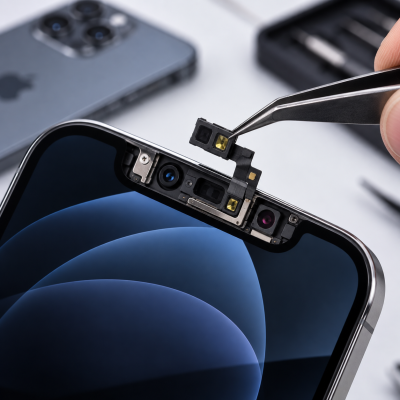
Proximity Sensor Repair
3 Step 3 of 3 · Almost done
Book this repair
Schedule your repair
Review the repair details below, then pick a time that works for you.
Price
Contact us for more detail.
Estimated time
Vary
Warranty
90 Days
About this repair
A faulty proximity sensor can cause the iPhone screen to remain active during calls, resulting in accidental touches, unwanted button presses, or difficulty using the phone normally. Our technicians diagnose the proximity sensor and related front sensor components, connectors, flex cables, and circuitry to identify the source of the problem. Where required, we repair or replace the affected component using reliable replacement parts and professional repair methods. After the repair, we test the proximity function during calls to ensure the screen turns off and back on correctly when the device is held near your face.
The evaluation may include:
-
Testing the proximity sensor during calls
-
Inspecting the front-sensor assembly
-
Checking sensor alignment and placement
-
Examining flex cables and internal connectors
-
Inspecting the display and screen installation
-
Checking for dirt, debris, or screen protectors blocking the sensor
-
Evaluating the device for impact or liquid damage
-
Testing related front-camera and sensor functions
-
Reviewing applicable software settings and system behavior
-
Inspecting associated circuitry when necessary
Schedule your appointment
Fields marked * are required. It only takes a minute.
Our Partners



















Technicians online now
Computer trouble? We'll fix it live — right on your screen.
Connect with a technician in minutes for a secure remote session. No appointment, no waiting room, no jargon — just your problem, solved.
Request Remote Support Now
Secure connection · Powered by AnyDesk