
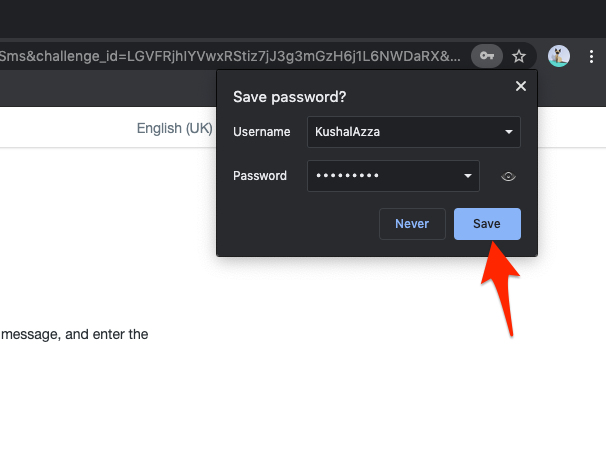
In the swiftly transforming landscape of the digital era, our daily activities have migrated online in an unprecedented way. The gamut ranges from shopping, banking, and learning to our social interactions, necessitating a staggering number of online accounts and passwords. This burgeoning world of digital access has given rise to an intriguing proposition from web browsers - the ability to remember and store passwords for seamless future access.
While the convenience of this feature is undeniable, it's essential to deliberate on the question - is it safe and advisable to store passwords in your browser? Keep reading as Heartland Computer will explore the pros and cons of this practice throughout this blog and help you make informed decisions about your online security.
Advantages of Saving Passwords in Browsers
Saving passwords in your web browser offers several key benefits that make your online experience smoother and more convenient. Let's delve into these advantages in detail.
Convenience
The principal advantage of saving passwords in your browser is the convenience it bestows. It's a smooth sailing experience as you navigate your favorite e-commerce site, social media account, or email service without the need to recall and type your password. This feature, known as autofill, eliminates the need to input your password every time, offering a frictionless online experience.
Time-Saving
In our fast-paced world where digital efficiency is paramount, every moment counts. Remembering and typing out passwords each time you wish to access a site can be time-consuming. This issue escalates if you frequently visit several password-protected sites. By saving passwords, you can reclaim this valuable time, allowing you to optimize productivity or enjoy more of your leisure time online.
Synchronization Across Devices
In today's multi-device ecosystem, where people seamlessly switch between devices like a desktop at work, a smartphone on the go, or a tablet at home, modern browsers facilitate password synchronization across all devices. Once you save a password on one device, it's accessible on all other devices where you've signed in with the same browser account, ensuring a seamless and unified browsing experience.
Ease of Use
As the number of our online accounts skyrockets, remembering a unique password for each account can be a daunting task, even with a disciplined password management system in place. Saving passwords in the browser helps mitigate this password overload, thereby reducing the cognitive load and risk of forgotten passwords that can lead to being locked out of your accounts.
Disadvantages of Saving Passwords in Browsers
Despite its advantages, saving passwords in browsers also introduces potential risks and drawbacks, primarily revolving around security and privacy.
Security Risks
The convenience offered by saved passwords also carries inherent security risks. If someone gains unauthorized access to your device, they can easily navigate to password-protected sites and access your accounts, all without needing to know your passwords. This risk becomes particularly alarming in the event of your device being lost or stolen.
Accessibility to Others
If your device is used by others, such as family members or friends, saving passwords in your browser could allow them access to your accounts. Regardless of trust levels, inadvertent changes to your account settings or unintentional purchases are possibilities that can lead to unwanted complications.
Password Decay
Relying heavily on saved passwords might discourage proactive password management practices, such as regularly updating your passwords - a concept known as 'password decay.' Over time, this inertia increases the likelihood of your accounts being compromised, especially if one of your passwords gets leaked or discovered.
Data Breach Exposure
In a situation where your browser data is breached, the stored passwords become a goldmine for cybercriminals. Access to your saved passwords can grant them entry to all your accounts, amplifying the potential damage. This is the digital equivalent of putting all your eggs in one basket and can lead to significant fallout if your passwords fall into the wrong hands.
Conclusion
The decision to save passwords in your browser ultimately boils down to personal preference, striking a balance between the benefits of convenience and the potential risks to your security. If you opt to save passwords, it is crucial to incorporate additional security measures, such as utilizing two-factor authentication and regularly updating your passwords. We, Heartland Computer, are dedicated to helping you safely navigate the digital world, offering a plethora of computer repair services tailored to your needs.
FAQs
What are the alternatives to saving passwords in the browser?
Alternatives to saving passwords in your browser include using a dedicated password manager or keeping a physical record of your passwords in a secure location. Password managers offer enhanced security features and some even generate unique, strong passwords for you.
How can I protect my saved passwords from being hacked?
You can protect your saved passwords by using two-factor authentication, regularly updating your passwords, and avoiding suspicious websites or downloads. Always ensure that your browser and operating system are up-to-date, as security patches are often included in updates.
Is it safe to save passwords on public computers?
No, it is not safe to save passwords on public computers. Public computers can be accessed by anyone and may contain malware that can steal your information. Always ensure to log out of any accounts and clear your browsing data before leaving a public computer.
How do I update saved passwords in my browser?
You can update saved passwords in your browser by going to the password management section of your browser settings. Here, you can view, edit, or delete saved passwords.
Can I choose which passwords to save and which not to in my browser?
Yes, you can. When you enter a password on a website, your browser will usually prompt you to save the password. You can choose to save or not to save each password individually.



















Join the conversation
Questions about this article? Ask below — our team reads every comment.