Rating based on 303 Reviews
- Call : 800-257-9505
- Location
- Login
- Register

Scanner Repair
3 Step 3 of 3 · Almost done
Book this repair
Schedule your repair
Review the repair details below, then pick a time that works for you.
Price
Contact us for more detail.
Estimated time
Vary
Warranty
Contact us for more detail.
About this repair
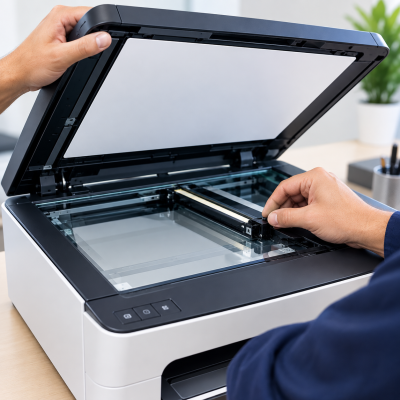
A scanner that won’t turn on, produces blank or distorted scans, or fails to save files can quickly disrupt your workflow. These issues may be caused by hardware faults, connection problems, outdated drivers, software errors, or incorrect scanner settings. We carefully diagnose the scanner hardware and software, identify the underlying problem, and make the necessary repairs or configuration adjustments. We then test scanning to restore reliable scan-to-computer, scan-to-email, and scan-to-USB functionality for smooth, everyday use.
Our evaluation may include:
- Testing the scanner’s power supply and startup operation
- Checking USB, Ethernet, and wireless connections
- Confirming that the computer or network detects the scanner
- Inspecting the flatbed glass for dust, smudges, and scratches
- Cleaning and inspecting the narrow ADF scanning strip
- Testing for blank pages, lines, shadows, distortion, and color problems
- Checking scan resolution, brightness, contrast, and file type
- Inspecting the scanner light, sensor, and movement mechanism
- Testing the automatic document feeder when available
- Inspecting ADF rollers for slipping or multiple-page feeding
- Checking, updating, or reinstalling scanner drivers
- Installing or repairing manufacturer scanning software
- Reviewing file-saving locations and folder permissions
- Testing PDF, JPEG, and other supported file formats
- Checking scan-to-computer configuration
- Reviewing scan-to-email server and account settings
- Testing compatible USB storage devices and file systems
- Checking network folders, addresses, and access permissions
- Reviewing error codes and scanner status messages
- Running scanner calibration procedures when supported
Schedule your appointment
Fields marked * are required. It only takes a minute.
Our Partners



















Currently offline
Computer trouble? We'll fix it live — right on your screen.
Our technicians are currently offline, but help is only a phone call away. Contact us in our office hour.
Contact Us: 402-502-7040
We'll get back to you shortly