Rating based on 303 Reviews
- Call : 800-257-9505
- Location
- Login
- Register

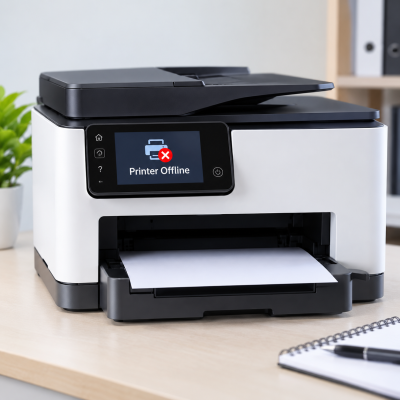
Printer Offline Repair
3 Step 3 of 3 · Almost done
Book this repair
Schedule your repair
Review the repair details below, then pick a time that works for you.
Price
Contact us for more detail.
Estimated time
Vary
Warranty
Contact us for more detail.
About this repair
A printer that is stuck offline, disconnected, or unresponsive to print jobs can often be caused by outdated or conflicting drivers, network connectivity problems, incorrect printer settings, or a stalled print queue. We carefully diagnose the printer’s connection, driver, software, and system configuration to identify the root cause. We then resolve connection errors, clear stuck print jobs, update or reinstall drivers when needed, and verify the printer’s settings. Finally, we test multiple print jobs to ensure your printer is communicating properly and printing reliably again.
Our evaluation may include:
- Checking the printer for errors or warning messages
- Confirming that the printer is powered on and ready
- Testing USB, Ethernet, and wireless connections
- Inspecting cables and physical connection ports
- Checking Wi-Fi signal strength and network stability
- Confirming that the printer and computer use the same network
- Checking the printer’s IP address and network configuration
- Testing communication between the printer and computer
- Verifying that the correct printer is selected as the default
- Checking for paused printing or “Use Printer Offline” settings
- Clearing stalled, duplicate, or corrupted print jobs
- Restarting and testing the Windows Print Spooler service
- Checking, updating, or reinstalling printer drivers
- Removing outdated or duplicate printer installations
- Reviewing manufacturer printer software and applications
- Checking firewall, security, and permission settings
- Testing whether sleep or power-saving settings interrupt communication
- Printing multiple test documents to verify reliable operation
Schedule your appointment
Fields marked * are required. It only takes a minute.
Our Partners



















Currently offline
Computer trouble? We'll fix it live — right on your screen.
Our technicians are currently offline, but help is only a phone call away. Contact us in our office hour.
Contact Us: 402-502-7040
We'll get back to you shortly