Rating based on 303 Reviews
- Call : 800-257-9505
- Location
- Login
- Register

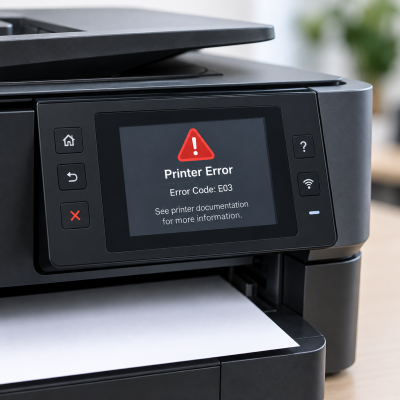
Error Code Diagnosis
3 Step 3 of 3 · Almost done
Book this repair
Schedule your repair
Review the repair details below, then pick a time that works for you.
Price
Contact us for more detail.
Estimated time
Vary
Warranty
Contact us for more detail.
About this repair
Error codes, warning messages, and blinking indicator lights can signal anything from a simple paper jam or low ink/toner to a network problem or internal component failure. We carefully diagnose the specific error, inspect the printer’s hardware and settings, and identify the underlying cause rather than simply clearing the warning. We then repair, replace, or adjust the affected components as needed and thoroughly test the printer to ensure it is back in proper working order.
Our evaluation may include:
- Recording the complete error code or warning message
- Identifying the meaning of manufacturer-specific error codes
- Reviewing the pattern of blinking indicator lights
- Checking the printer’s control panel and status report
- Inspecting the paper path for jams and obstructions
- Checking trays, access doors, covers, and safety switches
- Inspecting ink cartridges or toner for installation and detection errors
- Checking ink levels, toner levels, and consumable status
- Inspecting the printhead, drum, fuser, or maintenance components
- Testing paper, temperature, cover, and position sensors
- Checking USB, Ethernet, and wireless connections
- Reviewing network settings and printer communication
- Checking, updating, or reinstalling printer drivers
- Reviewing printer firmware and manufacturer software
- Testing motors, rollers, gears, and other mechanical components
- Inspecting power connections and internal electrical components
- Checking for ink, toner, liquid, or physical damage
- Resetting the error only after addressing the underlying condition
Schedule your appointment
Fields marked * are required. It only takes a minute.
Our Partners



















Currently offline
Computer trouble? We'll fix it live — right on your screen.
Our technicians are currently offline, but help is only a phone call away. Contact us in our office hour.
Contact Us: 402-502-7040
We'll get back to you shortly